
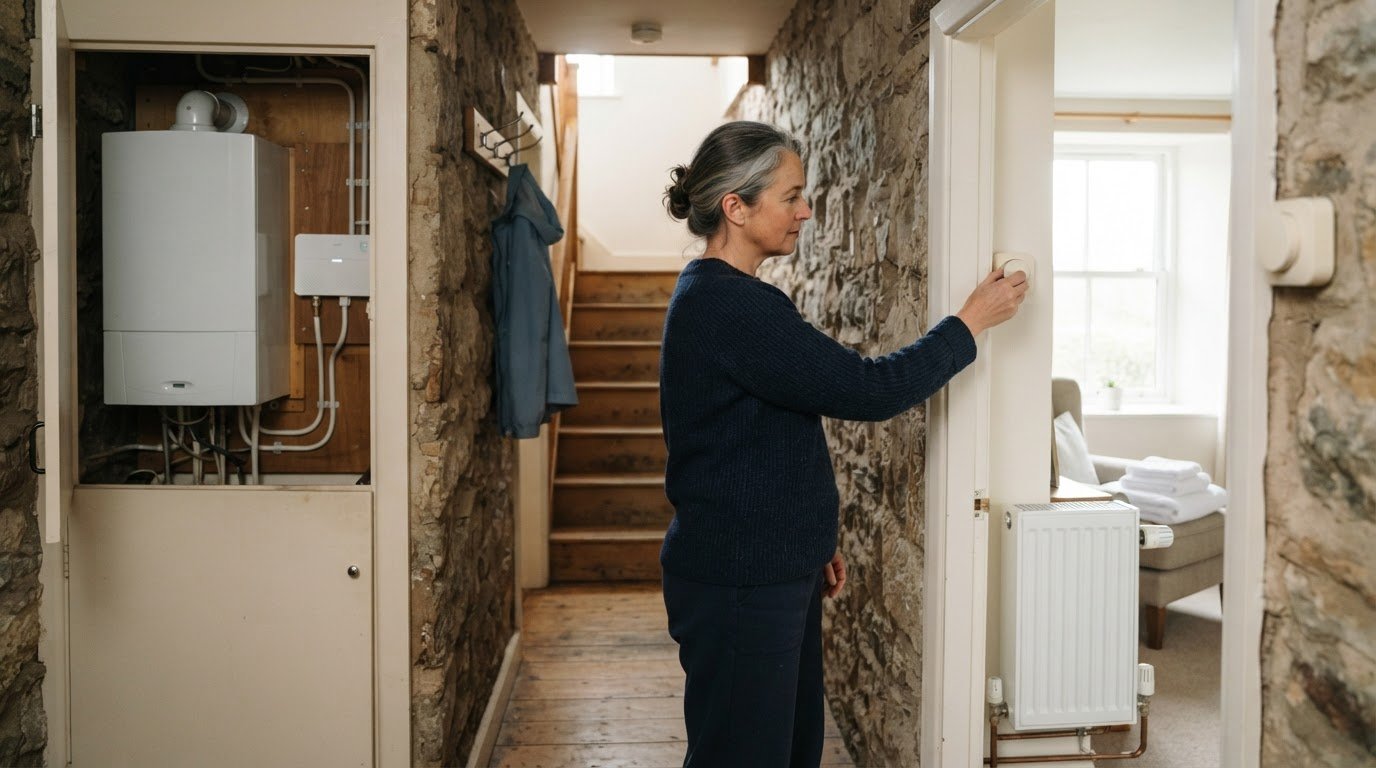
Smart thermostats for holiday lets: costs and choices
The smartest choice for a holiday let isn’t necessarily the model with the longest feature list. A smart thermostat for a holiday let can be useful if you want to manage heating remotely, warm the property before guests arrive and reduce heating between stays. The right fit depends on your heating system, hot-water setup and the controls you need.
It’s sensible to understand the costs before choosing a system. The total depends on the thermostat and installation requirements, while the value comes from managing schedules and monitoring energy use. Some models also offer frost-protection settings to help protect pipes when a property is empty.
This guide explains what affects cost, which features can help with guest changeovers, and how smart thermostats work with heating and hot water. It also compares the choices to consider, so you can focus on the controls that suit your property rather than paying for features you won’t use.
Key Takeaways
- See how remote controls and scheduled heating can make managing guest changeovers more convenient.
- Learn which heating and hot-water setups smart thermostats can work with, and why professional setup matters.
- Find out how energy-use history can help you spot patterns and make more informed heating decisions.
- Compare the features that matter when choosing a model, including the warranty offered with the Drayton Wiser Multi-room Kit 1.
1. Smart thermostats explained: how much they cost and are they worth it?
A smart thermostat for a holiday let lets you adjust the heating remotely through a smartphone app. You can raise the temperature before guests arrive and change the schedule between stays instead of relying on manual controls. For example, an owner near Dumfries can manage a property while away, provided the internet connection and thermostat system are working.
Hive, Nest and Tado are familiar names in smart heating controls, but their features and compatibility differ. The thermostat must work with the property’s heating system, and some setups need a wireless receiver or additional controls. Installation cost depends on the existing controls, wiring, thermostat compatibility and any zoning required; the price is given after a quote request. Remote app access relies on internet connectivity, while a saved heating schedule can typically continue during an outage, even though online control is unavailable.
Room-by-room control can help when different parts of a property have different heating needs. Smart radiator valves can regulate individual radiators, while a zoned system controls separate areas, such as bedrooms and living spaces. These options depend on the heating system and installed controls. A thermostat beside a draughty window may read a different temperature from one in a more consistent location, so placement affects its response.
UK energy and landlord rules are separate from thermostat features. A thermostat controls heating; it doesn’t inspect a boiler or replace gas-safety arrangements, including a Landlord’s Gas Safety Certificate where applicable. A smart thermostat alone isn’t proof of eligibility for an energy grant or tax relief. Eligibility depends on the relevant scheme and the property’s circumstances.
Privacy matters when guests use app-connected heating. Set clear access permissions, avoid sharing the owner’s account and remove guest access after each stay. The thermostat needs a compatible heating system, power and an internet connection for remote app control. Ongoing upkeep includes checking that schedules, access settings and heating responses remain suitable. Smart controls are most useful when remote adjustments and clear schedules solve a real changeover problem, rather than adding features the property won’t use.
2. What else do smart thermostats work with?
A professional can configure a pre-arrival schedule around each booking’s check-in time. For example, the heating can start before guests reach a Dumfries cottage, rather than running throughout an empty morning. The installer sets the target temperature and checks that the thermostat communicates with the boiler. Owners can then adjust settings remotely through an app on a smartphone or tablet, if the system supports it.
Between guest stays, a lower temperature setting can reduce unnecessary heating while keeping the property from becoming uncomfortably cold. The right schedule depends on the building, heating system and time between bookings. At checkout, the heating can return to an unoccupied-property schedule instead of continuing with the guest’s preferred settings. This avoids relying on guests to remember to adjust a manual control before leaving.
Schedules can support more efficient heating, but they don’t guarantee a set saving or bill reduction. Heating needs can vary across a property, so the most suitable schedule depends on how the space is used. A professional can configure the system around how the property is used, including separate zones where the heating setup allows. For instance, a bedroom zone can follow a different schedule from the main living area.
Multiple zones can give owners more control over different parts of one property. Managing several lets is a separate consideration: each property needs compatible controls and the correct account access. Where a property has a separate hot-water tank, some smart thermostats can also control its hot-water settings. Ask for the schedule to reflect guest arrival, checkout and the property’s heating layout. A professional can help configure heating controls for your property, so schedules work with its boiler and zones.
3. Energy use and cost monitoring
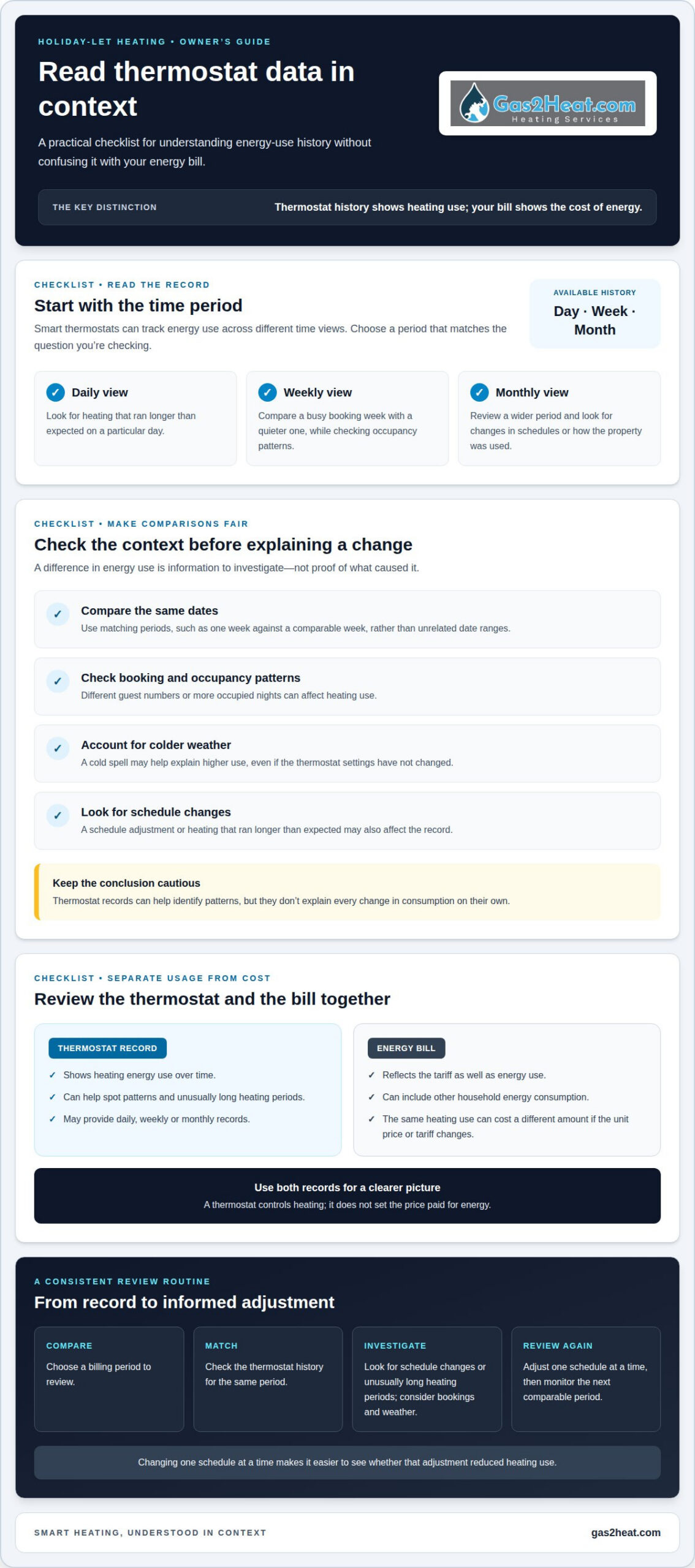
Smart thermostats can track energy use by day, week and month. This history helps holiday-let owners compare periods, such as a busy week with several bookings and a quieter week. Compare the same dates and similar occupancy patterns. A change in energy use may reflect different guest numbers, colder weather or a schedule change, not just thermostat settings. The technology provides information to investigate, rather than proving what caused an increase.
Monitoring can help show whether heating schedules match how guests use the property. For example, compare a week when heating is set to run between bookings with one using an unoccupied-property schedule. Some smart thermostats can detect whether people are home or away and adjust heating automatically, but this depends on the model. App records can help identify when heating runs longer than expected, though they don’t explain every change in consumption.
Energy use and energy bills are related, but they aren’t the same measure. A thermostat may show heating use, while the bill also depends on the tariff and other household energy consumption. Review the supplier’s bill alongside the thermostat’s daily, weekly or monthly records. If the unit price or tariff changes, the same heating use can cost a different amount. Switching supplier may change the price paid for energy, but it won’t change how the thermostat controls the heating.
Use a consistent review process: compare a billing period, check the matching energy-use history on the thermostat, then look for schedule changes or unusually long heating periods. A cold spell or more occupied nights can explain higher use, so consider booking patterns before changing settings. Adjust one schedule at a time, then monitor the next comparable period. This makes it easier to see whether the change reduced heating use. Savings aren’t automatic; results depend on the property, heating system, guest behaviour and energy tariff.
4. Smart thermostat brands and models
Hive, Nest and Tado are familiar names, but a brand alone won’t tell you whether a device suits a holiday let. Compare the controls you need: remote access, a guest-friendly heating schedule, room-by-room adjustment or hot-water control. These features vary by model and system. Start with the property’s boiler and existing controls, then check whether the thermostat can connect with them. A smart-home connection matters only if you’ll use it.
Consider how the property operates. A single thermostat may suit a compact let with an open-plan layout, while separate rooms may benefit from individual radiator controls or heating zones. For example, a cottage with bedrooms upstairs may need different temperature settings from its living area. The controls must support that arrangement. A product described as multi-room won’t automatically suit every heating system, so compatibility and installation requirements shape the choice.
Also consider what happens between bookings. You may want to adjust the heating schedule remotely, turn heating down after checkout or control hot water if the property has a separate tank. Decide how owners and guests will access the controls, and whether a guest can change settings temporarily without disrupting the next booking. These practical details can matter more than a smart-home feature you won’t use.
The Drayton Wiser Multi-room Kit 1 has a 2-year warranty. Compare warranty terms alongside the model’s controls, room coverage and fit with the existing heating system. Hive, Nest and Tado should be assessed by the same criteria, rather than ranked on brand name alone. A suitable model is the one that supports the property’s layout and booking routine. For help choosing compatible controls and arranging a professional setup, book smart thermostat installation.
Gas2Heat.com: Smart Thermostat Installation
Gas2Heat.com Ltd provides smart thermostat installation for holiday-let owners who want professional setup for their heating controls. An installer can configure the thermostat to work with the property’s heating system and help ensure its controls suit the way guests use the space. This is a practical next step if you’ve chosen a model and need it connected and set up for your property.
If the boiler also needs attention as part of the plan, Gas2Heat.com Ltd offers boiler installation, servicing and repairs. A thermostat works alongside the heating system, so considering both together can help clarify the right next step for your let. The work depends on the property and existing system, so discuss the installation you need.
Contact Gas2Heat.com Ltd to discuss smart thermostat installation for your holiday let.
Make the next heating decision with confidence
Choose a smart thermostat for a holiday let based on how the property is heated and used, not the number of features on the packaging. Before moving ahead, decide what you want to improve: guest comfort on arrival, control between bookings or clearer insight into heating use. That priority gives a professional a practical starting point for discussing controls and a setup that suits your property.
If the boiler needs attention as part of the plan, Gas2Heat.com Ltd also provides boiler installation, servicing and repairs. A thermostat works alongside the heating system, so considering both together can help clarify the right next step for your let. The focus should be a setup that fits the property’s existing equipment and your guest changeover routine, without adding controls you don’t need.
Take the next step when you’re ready to discuss your heating requirements. Talk with Gas2Heat.com Ltd about your holiday-let heating, and move towards a setup that feels more manageable for you and your guests.
Frequently Asked Questions
Smart thermostats explained: how much do they cost, and are they worth it?
That’s the device price, not an installation quote. For a holiday let, value depends on whether remote control helps you manage occupancy changes and avoid unnecessary heating. A property with frequent booking changes may benefit more than one with a steady schedule. Consider which controls you’ll use before choosing a model.
Can they let me control my hot water settings?
Yes, some smart thermostats can control hot-water settings if the property has a separate hot-water tank. This can let you manage hot water alongside heating rather than treating both as one control. For example, a let with a tank and separate heating controls may use different schedules for guest arrival days and quieter periods. The system’s setup determines which controls you can manage.
What else do smart thermostats work with?
They can work with compatible boilers and heating controls, and in some setups with smart radiator valves or room zones. Compatibility depends on the thermostat and the property’s existing equipment, so a model name alone isn’t enough to confirm a match. For instance, a home with several heating zones needs controls that can manage those zones, not just one central temperature setting.
What if my internet goes down?
A saved heating schedule can continue during an internet outage, but remote app control won’t be available until the connection returns. Scheduled heating can carry on, but you can’t make an online adjustment during the interruption. Keep the booking schedule current before guests arrive, and make sure whoever manages the let knows how the existing manual controls work.
What is ‘geofencing’?
Geofencing uses a connected phone’s location to identify when someone is near or away from a property. A compatible thermostat may then adjust the heating based on that location. For a holiday let, this can be less predictable if guests don’t use the feature or share location access. A booking-based heating schedule gives the host another way to plan for arrivals and departures.
Which smart thermostats work best for a UK holiday let?
There isn’t one best model for every let. Hive, Nest and Tado are options to compare against your heating setup and the controls you need. The Drayton Wiser Multi-room Kit 1 has a 2-year warranty, which may matter when assessing ownership terms. Prioritise compatibility, ease of managing guest schedules and any room-by-room control needed for your property.

Leave a Reply
You must be logged in to post a comment.